Integrate SharePoint with Salesforce in minutes.

Try For Free Share Connect Hero Image

What Our Customers Have to Say

Matthew Cleaver, CEO & Founding Partner at SMBHD: A Must-Have Salesforce Integration. Share Connect has completely transformed how we manage files within Salesforce. The ability to automatically create and organize SharePoint folders directly from Salesforce has saved us hundreds of hours of manual work. Not to mention, the app is incredibly easy to set up, and the support team is outstanding and always ready to help.

Matthew Cleaver, CEO & Founding Partner at SMBHD
Matthew Cleaver

CEO & Founding Partner, SMBHD

A Must-Have Salesforce Integration. Share Connect has completely transformed how we manage files within Salesforce. The ability to automatically create and organize SharePoint folders directly from Salesforce has saved us hundreds of hours of manual work. Not to mention, the app is incredibly easy to set up, and the support team is outstanding and always ready to help.

Jordan Beger, System Integrator at Fionta: A Game-Changing Integration for SharePoint Users. Share Connect has been a game-changer for our clients' document management in SharePoint. The automatic folder creation and linking features are intuitive, and our clients' teams appreciate how easy it is to manage files. If your client uses SharePoint, this app is a must-have!!
Jordan Beger, System Integrator at Fionta
Jordan Beger

System Integrator, Fionta

A Game-Changing Integration for SharePoint Users. Share Connect has been a game-changer for our clients' document management in SharePoint. The automatic folder creation and linking features are intuitive, and our clients' teams appreciate how easy it is to manage files. If your client uses SharePoint, this app is a must-have!!

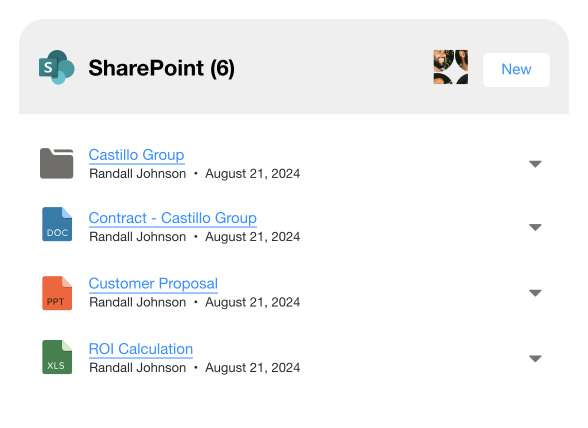
Link and view SharePoint files in Salesforce

Effortlessly link SharePoint files and folders to Salesforce records for easy access and sharing. Plus, view SharePoint files directly in Salesforce with the Share Connect File Viewer.

Learn More
Share Connect Lightning component displaying a list of SharePoint files linked to Salesforce. The list includes four items with file icons, names ('Castillo Group,' 'Contract - Castillo Group,' 'Customer Proposal,' and 'ROI Calculation'), owner name ('Randall Johnson'), and date ('August 21, 2024'). A 'New' button is in the top-right corner, along with a profile avatar. Each integrated file has a dropdown menu for additional actions.
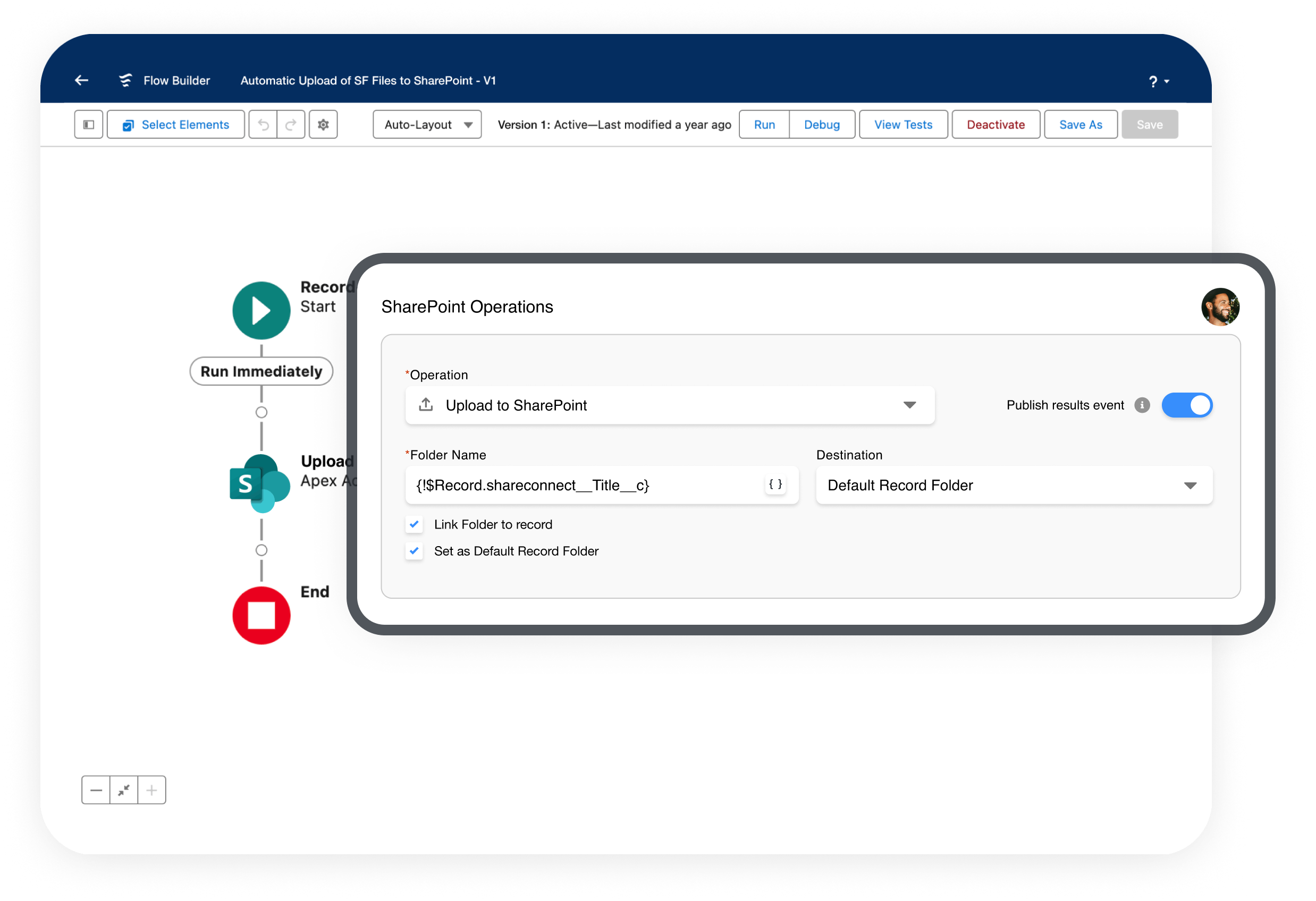
Automate SharePoint folder creation with Salesforce Flows

Use our Automate Share action in Record-Triggered Flows to create SharePoint folders with a consistent structure and automatically link them to Salesforce records.

Learn More
Screenshots of the 'SharePoint Operations' configuration interface in Salesforce Flow Builder. The Flow Builder interface is partially visible in the background, displaying a record-triggered flow with steps labeled 'Start,' 'Run Immediately,' 'New Account Folder,' and 'End.' The SharePoint Operations panel in the foreground includes fields for setting the operation type (e.g., 'New SharePoint Folder'), folder name (e.g., '{$Record.Name}' and 'Legal'), destination folder, and options such as 'Link Folder to record' and 'Set as Default Record Folder.' Buttons for adding child operations and SharePoint operations are located at the bottom of the panel.
Automatically upload files to SharePoint

Cut Salesforce storage costs by effortlessly moving files from Salesforce to designated locations within your SharePoint organization.

Learn More
Share Connect Feature Upload
Starter

$6

USD/User/Month
1 year commitment

$8

USD/User/Month
Monthly commitment

For linking SharePoint files to Salesforce records.

Pro

$12

USD/User/Month
1 year commitment

$15

USD/User/Month
Monthly commitment

For automating SharePoint Files & Folders using Salesforce Flow.

Documentation Icon

From setup to specifics, our documentation has you covered.

View Documentation