


What Our Customers Have to Say

Barney Haywood
Co-Founder, Futureform
Experience Connect gives our wealth management customers exactly what they need: a clean, branded client portal that connects directly to their Salesforce and SharePoint workflows. Clients upload documents, advisors get them instantly, and the entire onboarding process moves ahead seamlessly. It's fast to set up, easy to manage, and purpose-built to work alongside the rest of the Appiphony suite.

Andrew Fretwell
Sales Director, Arkus
Recommending a tool like Experience Connect is the easy and fun part of my job as a consultant. Experience Connect tears down old walls that have blocked the path for nonprofits seeking a unified and intuitive data management setup that flows from constituents' devices through Salesforce right into the nonprofit's shared drive. If all things were this easy, we'd all be getting a lot more done!
Share Files with Experience Cloud Users
Surface Google Drive or SharePoint files and folders directly on your Experience Cloud site. Control exactly what external users can see without requiring them to have a Google Drive or SharePoint account.
Learn More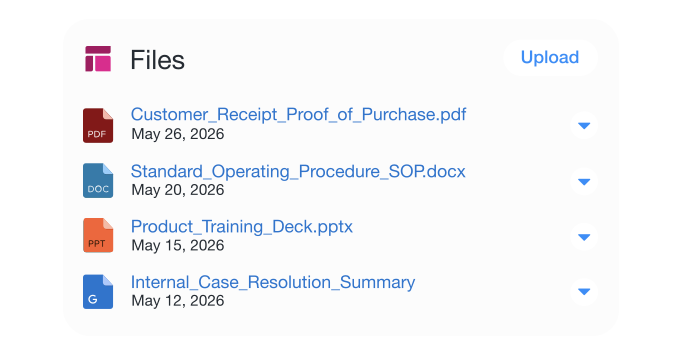
Accept Document Uploads from Experience Cloud Users
Give external users a simple, reliable way to submit documents through your Experience Cloud site. Uploaded files are easy to track and manage without adding to your Salesforce file storage.
Learn More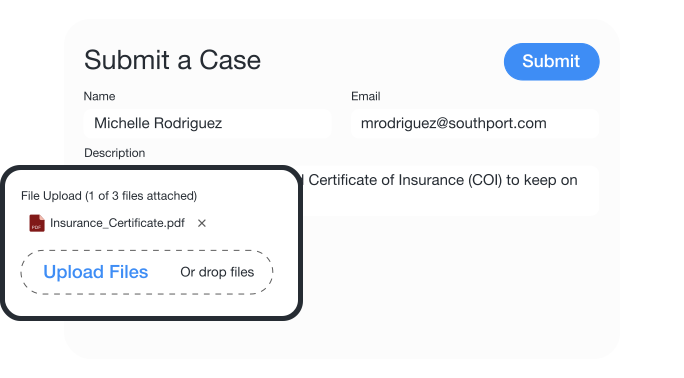
Extend Drive & Share Connect to Experience Cloud
Give your Experience Cloud users a connected, organized document experience. Experience Connect bridges your internal file workflows with the external-facing portals your customers, partners, and community members actually use.
Learn More
Flexible payment plans with user-based pricing
Surface Google Drive and SharePoint files to Experience Cloud users without need for a separate login.
Drop a file uploader component onto any Experience Cloud site page.
Automatically route community uploads to designated Google Drive or SharePoint folders to reduce Salesforce storage costs.
Experience Connect requires Drive Connect or Share Connect in order to work with Experience Cloud sites.
